![logo-alt.svg]](https://www.igoclients.com/hubfs/logo-alt.svg)
Repair Pricer estimates are delivered within 24 hours unless you select the Rush Upgrade for faster delivery.
Open Your Repair Pricer PreviewShortly after the property inspection is completed, you’ll receive a Repair Pricer preview by email or text.
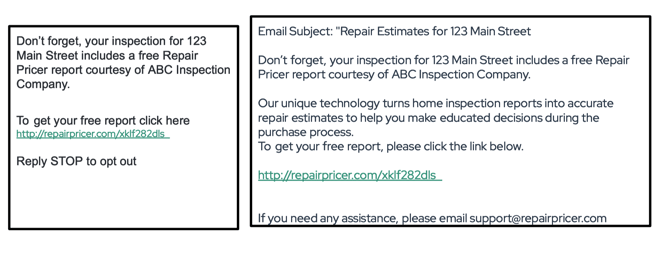
Click the link in the email or text to open your Repair Pricer order.
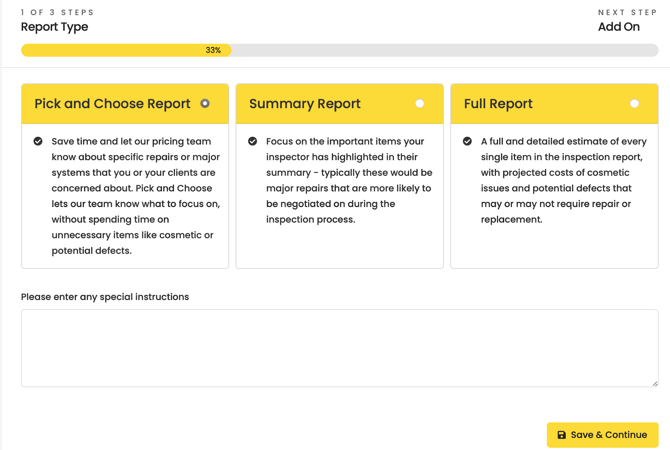
Choose Your ReportSelect the report that best fits your client’s needs.
Click Save and Continue to move to the next step.
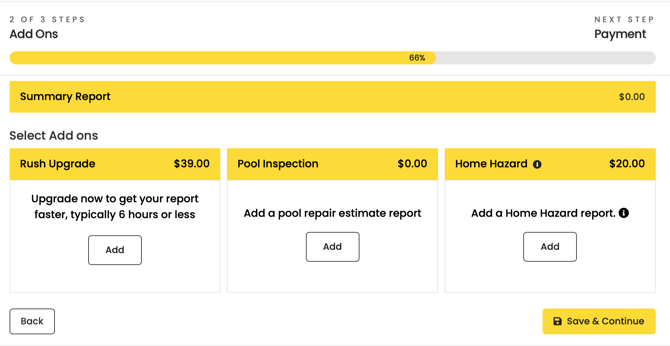
On the next screen, you can add any additional options you need:
- Rush Upgrade for faster report delivery
- Home Hazard Report
- Pool Report at no additional cost
Once you’ve made your selections, click Save and Continue.
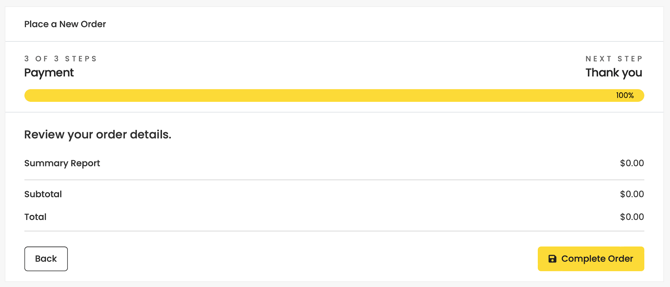
If you selected any paid add-ons, enter your payment information to complete the purchase.
If you did not select any paid add-ons, click Complete Order.
Once your order is submitted, you’ll see a confirmation letting you know it was placed successfully.
Your Repair Pricer estimate will be delivered within 24 hours, if you selected the Rush Upgrade, the estimate will be delivered within 4-6 hours..
Need help?If you can't find your preview link or need help with your order, submit a request here and our team can help.