![logo-alt.svg]](https://www.igoclients.com/hubfs/logo-alt.svg)
To set up your branding, go to Marketing. This opens the Branding Options page:
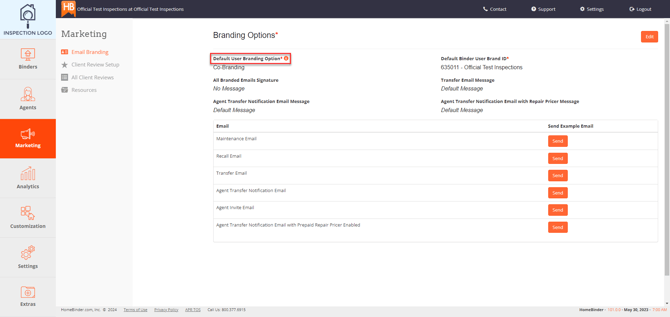
Click Edit, then Default User Branding Options.
Choose from the following options:
- None
No branding will appear. - Inspector
Your branding will appear on the binder, appliance recall alerts, and maintenance reminder emails. - Both Inspector and Agent (recommended)
Your branding will appear alongside the agent from the transaction. This is the most popular option and gives your agents added visibility throughout the homeowner experience. - Agent
Only the agent’s branding will appear on the account.
After making your selection, you can preview how the branding will appear in emails sent through Haven. Under Example Email, click Send to receive a preview.
Need Help?If you need help with branding, submit a request here, and our team can help.